

Do Not Call
DNC (Do Not Call) handling is an essential part of any voice broadcast. In almost every country there are rules about who can be called, and many countries run a national “preference list” where people can opt out of unsolicited calls. Newfies-Dialer lets you upload the numbers that must not be called and automatically adds people who ask to be removed, so they are never called again by any of your campaigns.
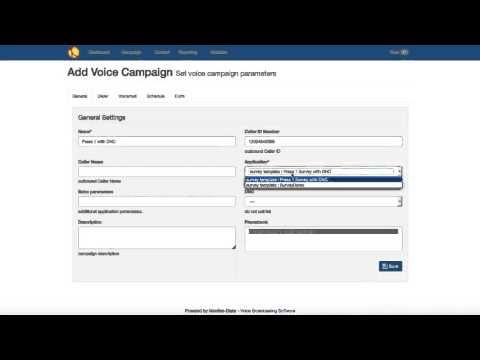
How DNC works in Newfies-Dialer
- Upload your DNC lists. Import national registry extracts, your own internal suppression list, or lists supplied by your clients, as a text file.
- Attach DNC lists to campaigns. Before each call, the number is checked against the DNC lists of the campaign. Blocked numbers are skipped and never dialed.
- Let contacts opt out. A typical press-1 message ends with “press 9 to be removed from our list”. The number is added to your DNC list immediately.
- Report on rejected numbers. Numbers skipped because they are on a DNC list or a blacklist are recorded in the call reports, so you can see how many were not called and why.
Because the list is checked at dialing time, a contact who opts out today will not be called tomorrow, even if their number appears again in a new contact list you upload.
Use cases
- Press-1 lead generation: give every contact an easy way to opt out, as regulators expect.
- Call centers working client lists: keep a separate DNC list per client or per tenant.
- Debt collection and reminders: honour requests to stop calling a specific number.
- Political and survey campaigns: apply your own suppression lists alongside public ones.
Features
- Unlimited DNC lists, shared or per campaign
- Opt-out by key press, from any IVR node
- Blacklists and whitelists managed by each user
- Duplicate and invalid number removal on contact import, with an import report
- Calling hours and US time zone support, so contacts are only called at allowed times
- Caller ID per campaign, per area code or rotated, so recipients can identify you
- Full call detail records for rejected, blacklisted and DNC numbers
Compliance
Do Not Call rules vary by country. In the USA, the FTC’s Telemarketing Sales Rule and the FCC’s TCPA rules generally require telemarketers to check the National Do Not Call Registry, keep their own internal do-not-call list, call only between 8am and 9pm in the contact’s local time, transmit caller ID, and offer an automated opt-out in prerecorded messages. Prerecorded marketing calls generally also require the contact’s prior express written consent, and many states add their own rules.
In the UK, the Telephone Preference Service (TPS) lists people who do not want marketing calls, and automated marketing calls generally require specific prior consent under PECR. Other countries have similar registries and consent rules.
Newfies-Dialer provides the tools to apply these rules, but you are responsible for the lists you use and the consent you hold. Please check the regulations that apply to you with a legal advisor. This page is not legal advice.
Frequently asked questions
Can contacts add themselves to the DNC list?
Yes. Any key in your IVR can add the contact’s number to a DNC list, typically “press 9 to be removed”.
Can I use a different DNC list for each client?
Yes. DNC lists can be attached per campaign, and on multi-tenant systems each tenant manages their own lists.
Are numbers on the DNC list ever dialed?
No. They are checked before dialing and skipped, and the skipped numbers appear in your reports.
See the plans and pricing, or learn how DNC fits into a press-1 campaign.